
6 Simple Steps to Creating Motion Graphics

What is Motion Design?
Motion design animates static visuals and this makes still images come to life. Graphic Designers work with static images and text and illustrators draw characters and scenes. Motion Designers transform static elements, such as graphics, text, and illustrations, into engaging stories through animation. Basically, motion graphics are like moving pictures made from graphic designs. They're a part of animation, which also includes cartoons, claymation, and stop motion.
Mosambi logo animation here is an example of motion design in action. We can bring the Mosambi logo to life with animation.
Now that we've covered the fundamentals of motion graphics, let's discuss the 6-stage design process.
1. Write a detailed brief
Every successful motion graphics project begins thorough understanding of its purpose. A detailed brief will give a clarity of the project's objectives, identifies the target audience, and defines the key message to be conveyed. This step ensures the animation meets the real goals.
2. Sketch out a storyboard
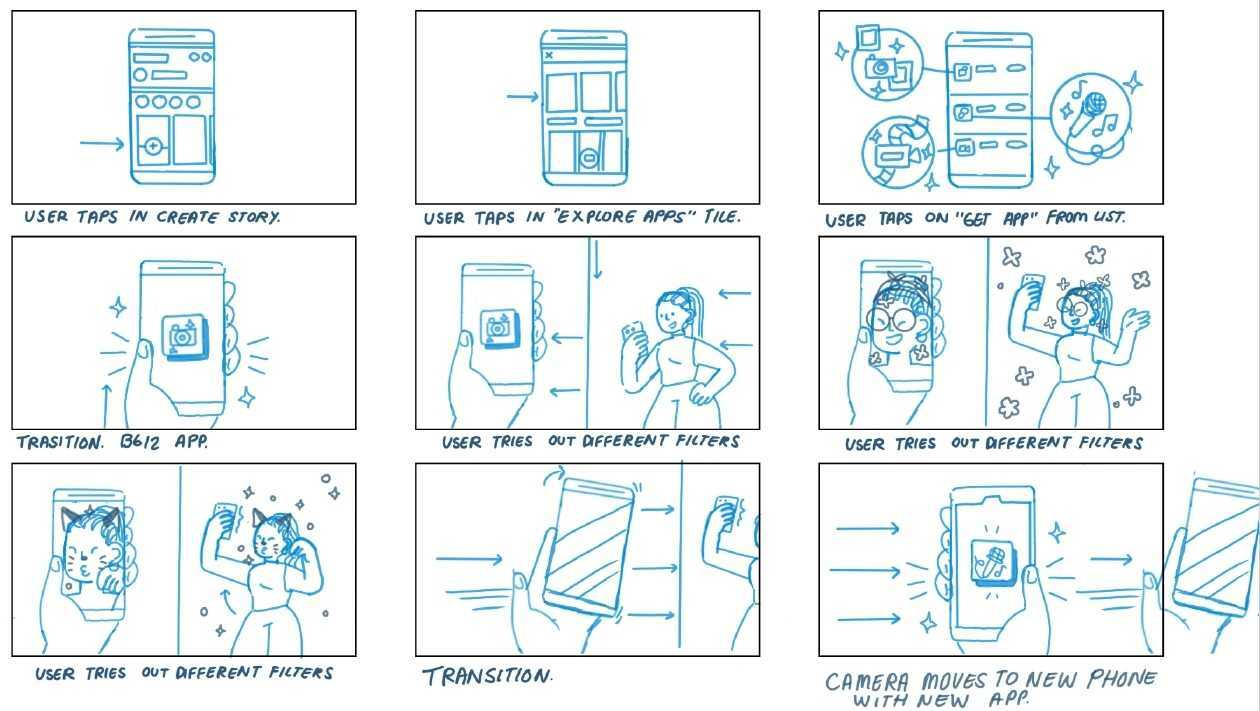
For complex projects, a storyboard is very important. This guide, like a comic book, shows how the animation will happen step-by-step and this forms a narrative and conveys the story. It's a sequence of events to pre-visualize any motion picture, animation, or motion graphic. Basically it look like a rough sketch.
The storyboard establishes, "What are we trying to say?" Then in the next step, key style frames help us define how we deliver the message.
Here is a sample storyboard example:
3. Create the Key Style Frames
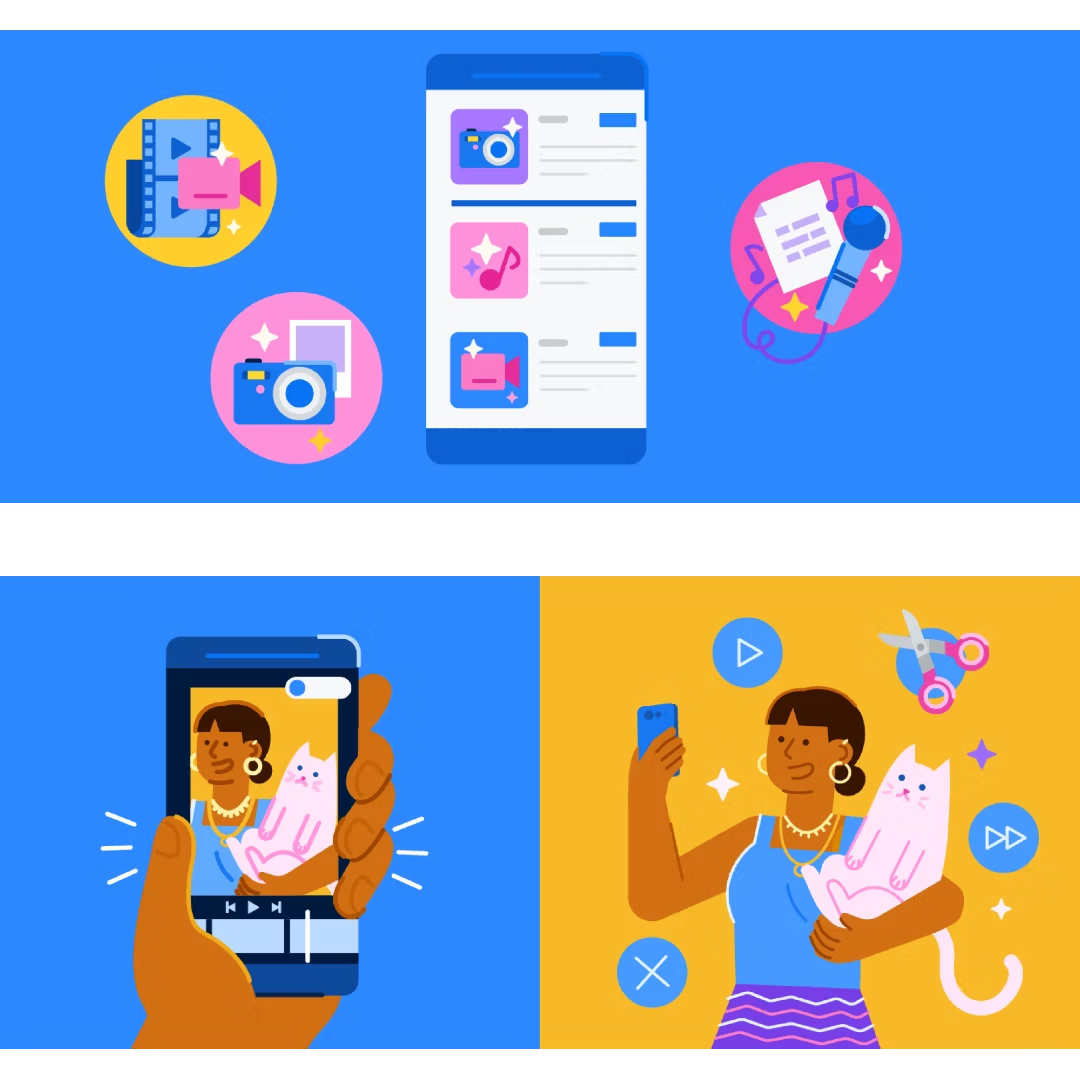
Key style frames: sometimes called initial style frames are a few important images that show exactly how your animation will look. These visual representation help you and others get a better idea of the final result before you start animating.
According to many motion designer,
“A key style frame is the final design from a Design Director. Together with your storyboard, it should give a good idea towards the end result.”
Here is a sample key style frame example:
4. Sketch the Planning of the Movement: Blocking
Before animating, the designer plans how everything in the scene will move. This is called 'blocking.' They figure out how objects will appear, move around, and interact with each other. This helps set the overall speed and flow of the animation.
Here is a sample example:
5. Detailed Style Frames
we have to create more detailed style frames. These frames show exactly how each scene will look, including things like lighting, colors, and textures. They're like a detailed blueprint for the final animation.
6. The Animation
Using the design tools and the steps, created a story to life. Added the movement, control the timing, and use special effects the animation part completed.
This stage requires a lot of attention to detail to make the animation look smooth and interesting.
“Design is all around us. Let's learn to see it”
-Afzal Rahman